顯示包含「backup」標籤的文章。顯示所有文章

2014年3月15日星期六

Android User: How can I transfer my WhatsApp chat history to my new phone? (Android用戶:我如何能將我的WhatsApp聊天記錄轉移到我的新手機?)

Assume you are a die hard Android fans and you have buy a new Android Phone. The below steps is to show you how to do the chat history transfer between Android phones.
假設你是Android的超忠實愛好者,並且你買了新的Android手機。下面的步驟將幫助你從現有的Android手機轉移聊天記錄到新購入的Android手機。

Step 1: On your existing Android phone, go to WhatsApp -> Settings -> Chat settings -> Backup conversations
第一步:在你現有的Android手機,開啟WhatsApp - >設定 - >對話設定 - >備份對話
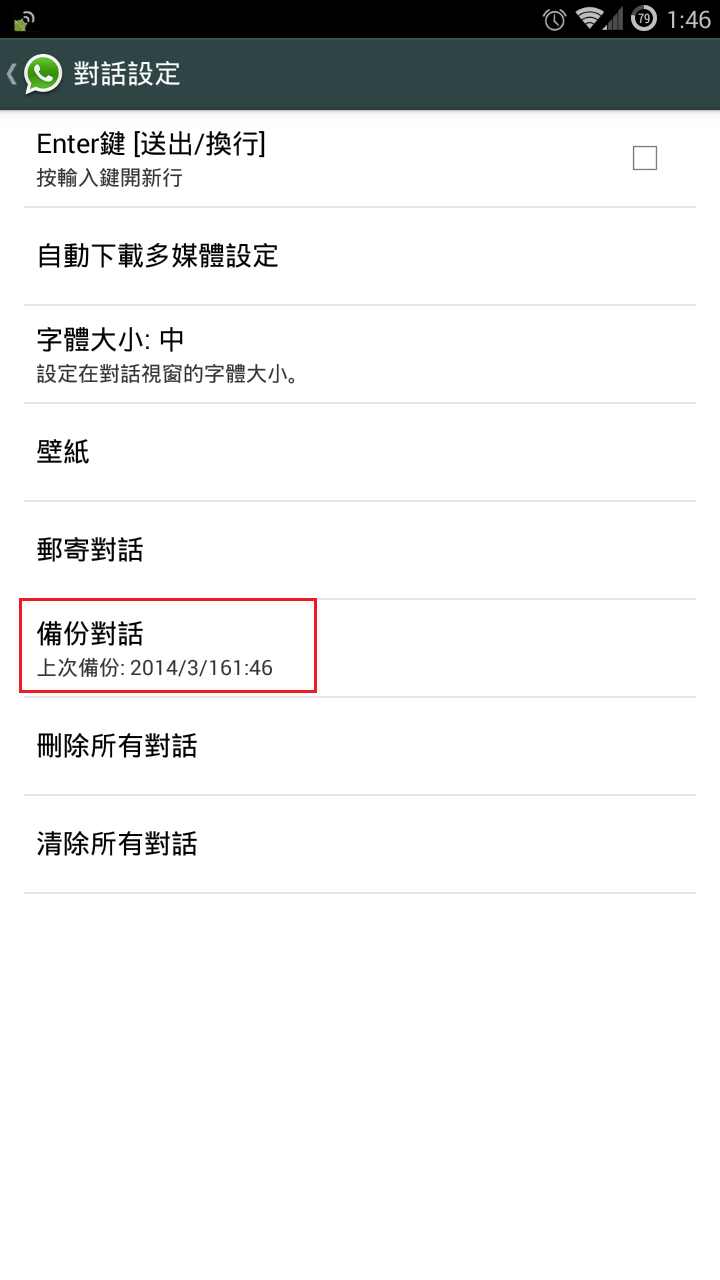


Step 2: Transfer the "WhatsApp" folder from the existing phone to the new phone
第二步:將WhatsApp”資料夾從現有的電話複製到新手機的相同位置

a) connect the existing phone to PC/MAC as Mass Storage mode
將現有的手機以大容量儲存模式連接到PC/ MAC


If you are using Samsung Mobile, you will see the following when you browse your phone via Computer.
如果你用的是三星手機,當你以電腦瀏覽手機資料夾時,你將會看到下面的畫面。 


Find a folder named "WhatsApp" and copy it to your desktop temporary.
找一個名為“WhatsApp”的資料夾,並暫時複製到你的桌面上。
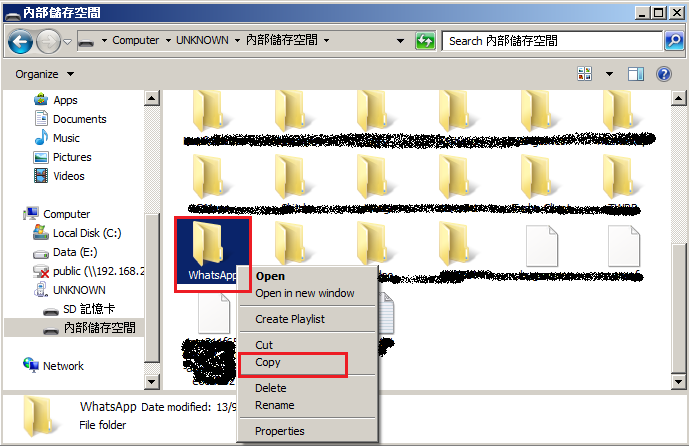

b) connect your new phone to PC/MAC as Mass Storage mode
將你新的手機以大容量儲存模式連接到PC/ MAC

Copy the "WhatsApp"from your desktop to the new phone.
把桌面上那個“WhatsApp”資料夾複製到你的新電話上。

Step 3: Install WhatsApp on your new phone
第三步:在你的新電話安裝WhatsApp

During the installation process, WhatsApp will automatically find your backup and ask you if you would like to restore it. Once restored, your old chats will reappear, on your new phone.
在安裝過程中,WhatsApp會自動找到您的備份,並詢問你想回復它與否。當回復完成時,舊的聊天記錄將重新出現在你的新手機上。

Note(注意):
-WhatsApp chat history cannot be transferred to different phone number
-WhatsApp的聊天記錄並不能被轉移到不同的電話號碼上 


How to backup / restore your WeChat messages? (如何備份/回復你的WeChat消息?)

In this post, the simple steps of WeChat messages backup & restore will be shown. This should be useful when you switch to a new mobile phone.
以下將會介紹如何簡單地備份和恢復WeChat信息。當你切換到一個新的手機,這應該是有用的。

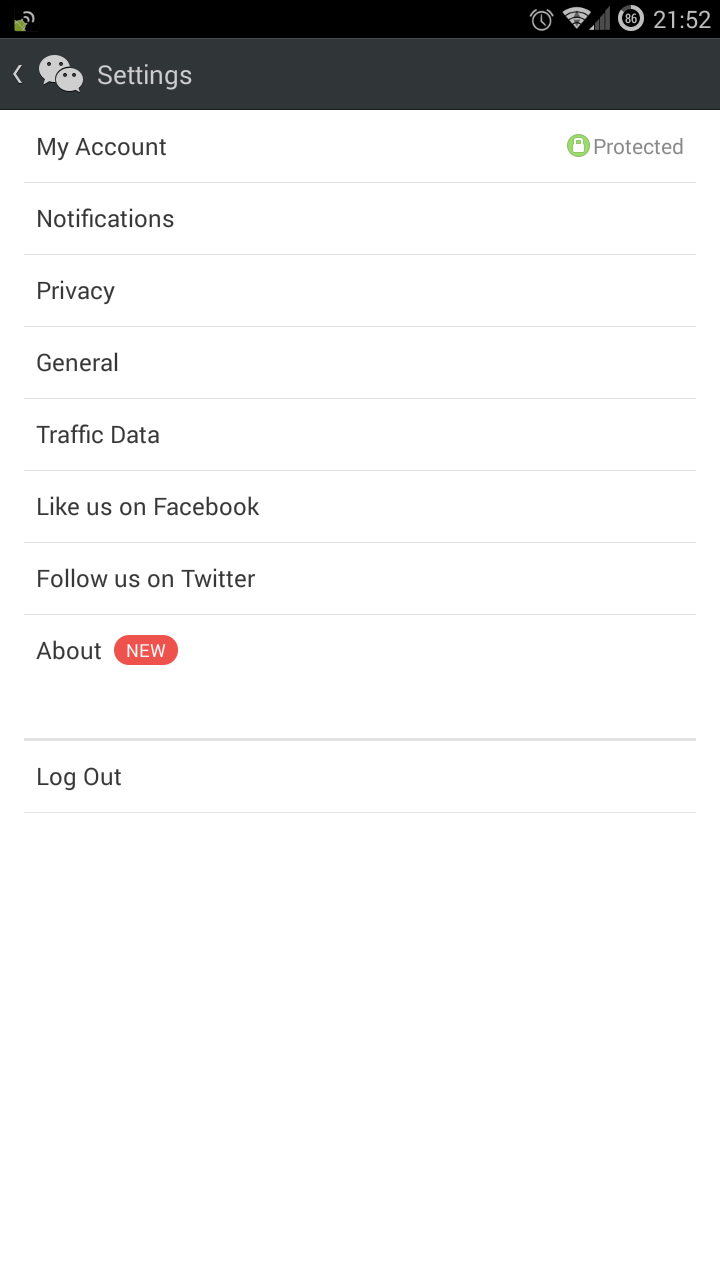
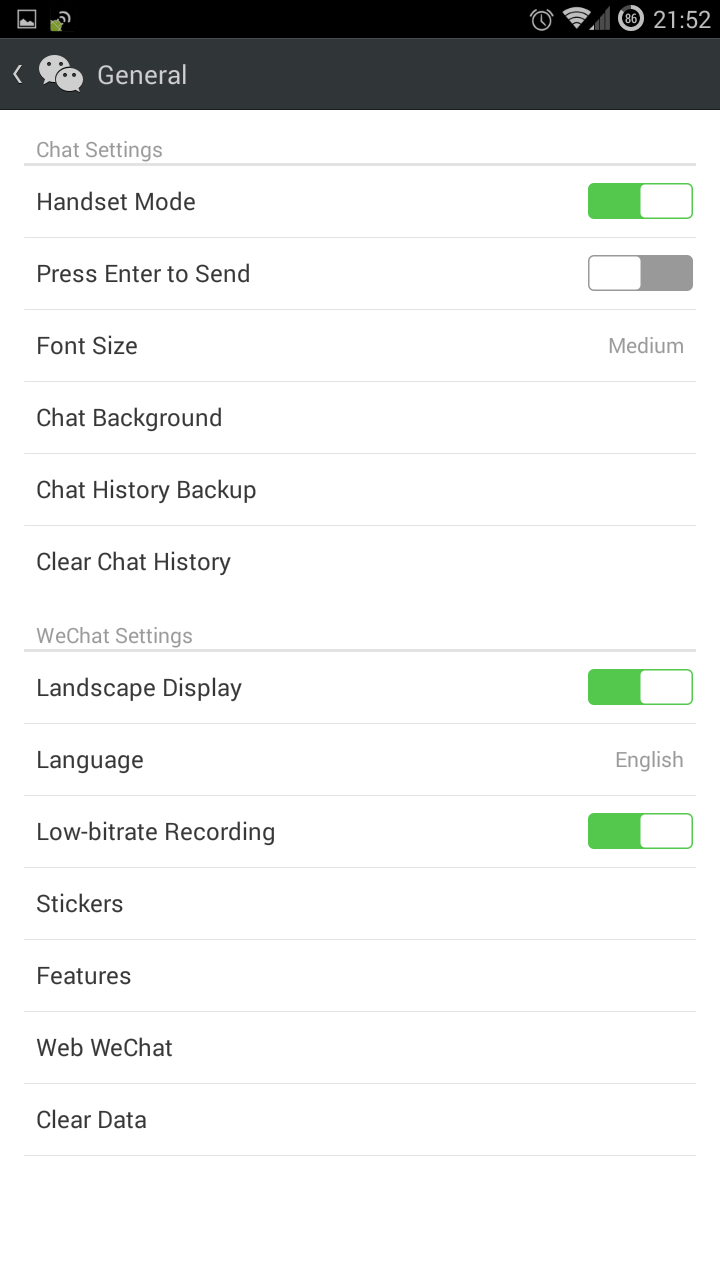
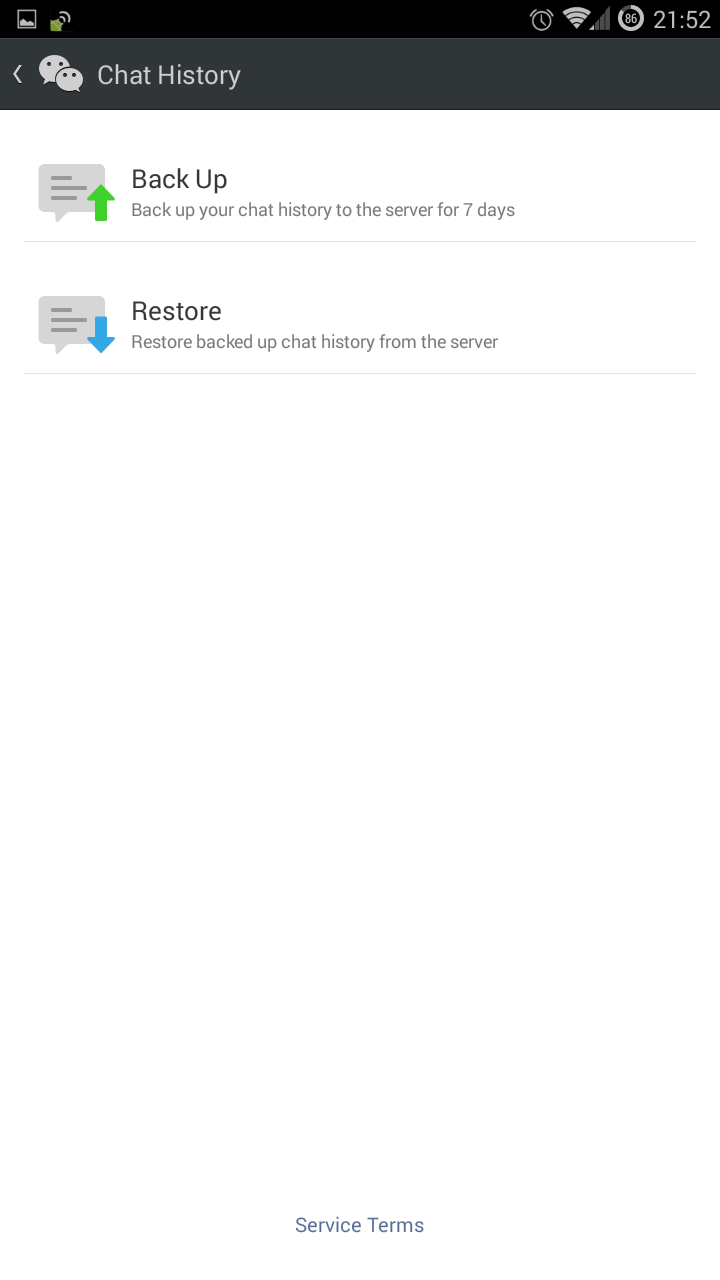
Step 1: Open WeChat in your current mobile phone. Goto Settings -> Chat History Backup -> Backup 
(第一步﹕在當前的手機打開WeChat。去"設置" - >"聊天記錄備份" - >"備份")


Step 2: Install WeChat on your new mobile phone. Open WeChat in your current mobile phone. Goto Settings -> Chat History Backup -> Restore
(第二步﹕在新的手機安裝並打開WeChat。去"設置" - >"聊天記錄備份" - >"恢復")


Done!
完成

Notes:
- Backup messages will be lost after 7 days (備份的信息將在7天後被刪除)

2014年3月14日星期五

Browse Websites Archive (瀏覽網站存檔)

Have you ever want to browse the previous year's content of a web site? If your answer is "YES", the below web service should be a gift to you.
你有沒有想過要瀏覽某網站上年的內容?如果你的答案是肯定的,以下介紹的網站服務應該是一份很好的禮物。
Step 1: Goto the below URL  
(第1步:瀏覽以下的URL)
 

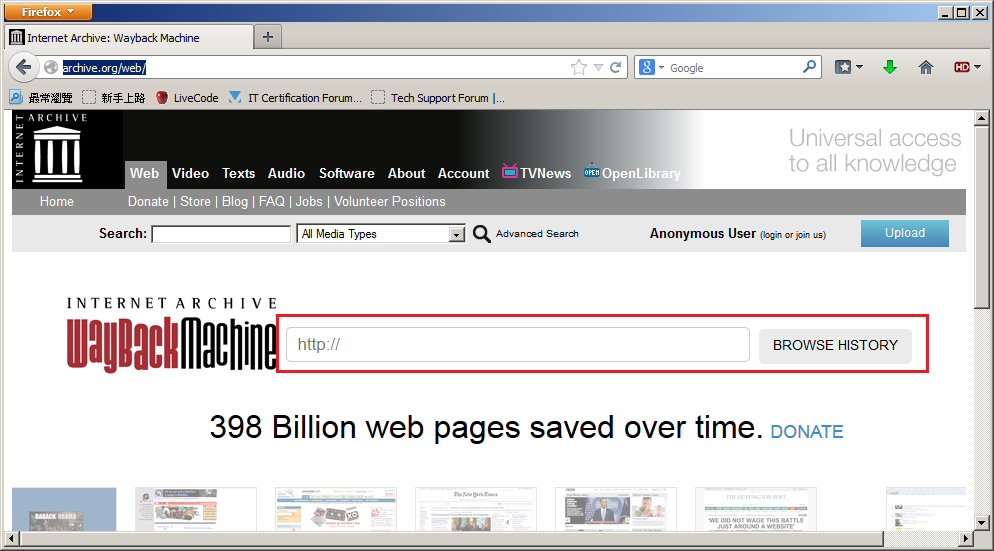
Step 2: Enter the URL that you want to "Go Back" in the input field next to "WayBack Machine" icon. Then click on the button "BROWSE HISTORY" 
(第2步:在"WayBackMachine"圖示旁邊輸入你想“回到過去”的網站。然後點擊按鈕“BROWSE HISTORY”)


Step 3: Select the day and time that you want to go back 
 (第3步:選擇您想回去的日期和時間)


Step 4: Done
 (第4步:完成)
Limitation: (限制)
a)  Not all website have snapshot
(並非所有網站都有快照)
b) Not everyday have snapshot
(並非每天都有快照) 


Youtube Video Download (Youtube影片下載)

Wanna watch YouTube video offline? Wanna backup a YouTube Video? If your answer is "Yes", I hope the below information can make this task easier for you.
(想離線觀看YouTube視頻?想備份一個YouTube視頻?如果這是你的想法,我希望下面的方法可以令你更容易完成任務。 )

Step 1: You should have Firefox Web Browser (第1步:你要先按裝好Firefox瀏覽器)
Firefox can be download from below URL:
(Firefox可以從以下鏈結下載:)
http://mozilla.com.tw/firefox/all/

Step 2: Open Firefox and press "Ctrl+Shift+A" to call the plug-in Manager(第2步:打開Firefox,然後按“CTRL + SHIFT + A”來調用插件管理器)

a) Use the keyword "download youtube video as MP4" to search for the plug-in and install it
(使用關鍵字“download youtube video as MP4”來搜索插件並安裝)

Step 3: Use Firefox to browse the YouTube video that you want to download(使用Firefox瀏覽您想下載的YouTube視頻)

 a) You will find that "Download" button will be shown next to the dislike icon(你會發現“Download”按鈕將顯示在dislike圖示的右邊)

 b) The downloaded video will be located in the default download folder(下載的視頻將存放於默認的下載資料夾)

  
In general, the downloaded video (MP4 format) should be able to play in Android or iOS without further software / app installation.
(在一般的情況下,下載的視頻 [MP4格式] 應該能夠不需額外軟件 / 應用程序便可在Android或iOS上播放。)