假設你是Android的超忠實愛好者,並且你買了新的Android手機。下面的步驟將幫助你從現有的Android手機轉移聊天記錄到新購入的Android手機。
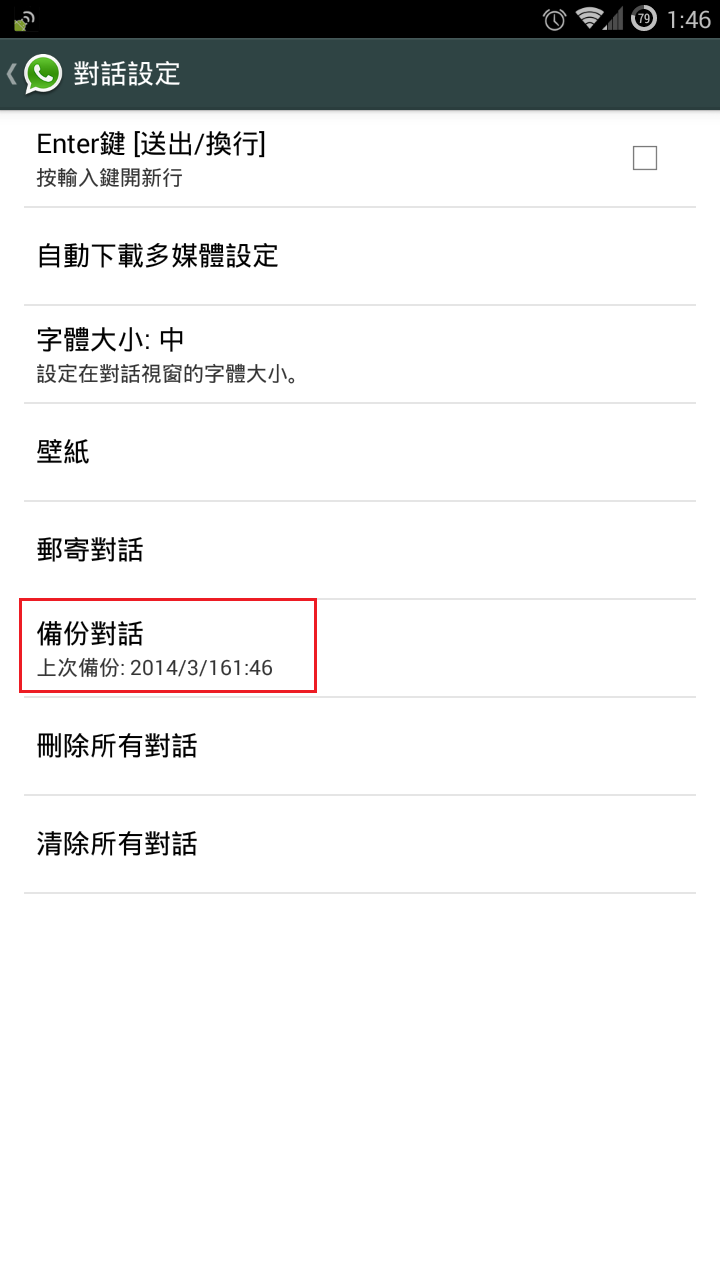
Step 1: On your existing Android phone, go to WhatsApp -> Settings -> Chat settings -> Backup conversations
第一步:在你現有的Android手機,開啟WhatsApp - >設定 - >對話設定 - >備份對話
Step 2: Transfer the "WhatsApp" folder from the existing phone to the new phone
第二步:將WhatsApp”資料夾從現有的電話複製到新手機的相同位置
a) connect the existing phone to PC/MAC as Mass Storage mode
將現有的手機以大容量儲存模式連接到PC/ MAC
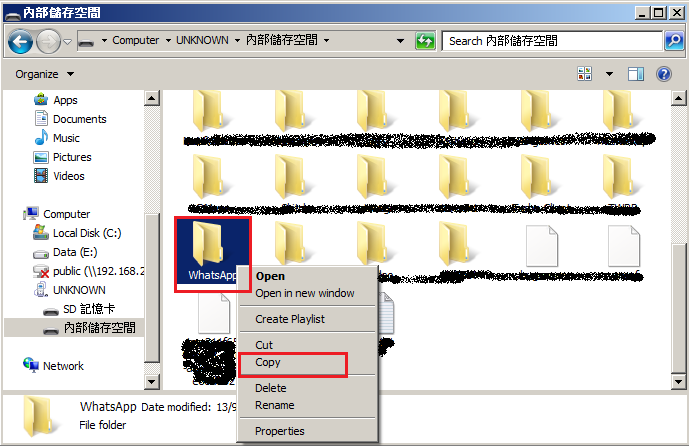
If you are using Samsung Mobile, you will see the following when you browse your phone via Computer.
如果你用的是三星手機,當你以電腦瀏覽手機資料夾時,你將會看到下面的畫面。

Find a folder named "WhatsApp" and copy it to your desktop temporary.
找一個名為“WhatsApp”的資料夾,並暫時複製到你的桌面上。
b) connect your new phone to PC/MAC as Mass Storage mode
將你新的手機以大容量儲存模式連接到PC/ MAC
Copy the "WhatsApp"from your desktop to the new phone.
把桌面上那個“WhatsApp”資料夾複製到你的新電話上。
Step 3: Install WhatsApp on your new phone
第三步:在你的新電話安裝WhatsApp
During the installation process, WhatsApp will automatically find your backup and ask you if you would like to restore it. Once restored, your old chats will reappear, on your new phone.
在安裝過程中,WhatsApp會自動找到您的備份,並詢問你想回復它與否。當回復完成時,舊的聊天記錄將重新出現在你的新手機上。
Note(注意):
-WhatsApp chat history cannot be transferred to different phone number
-WhatsApp的聊天記錄並不能被轉移到不同的電話號碼上